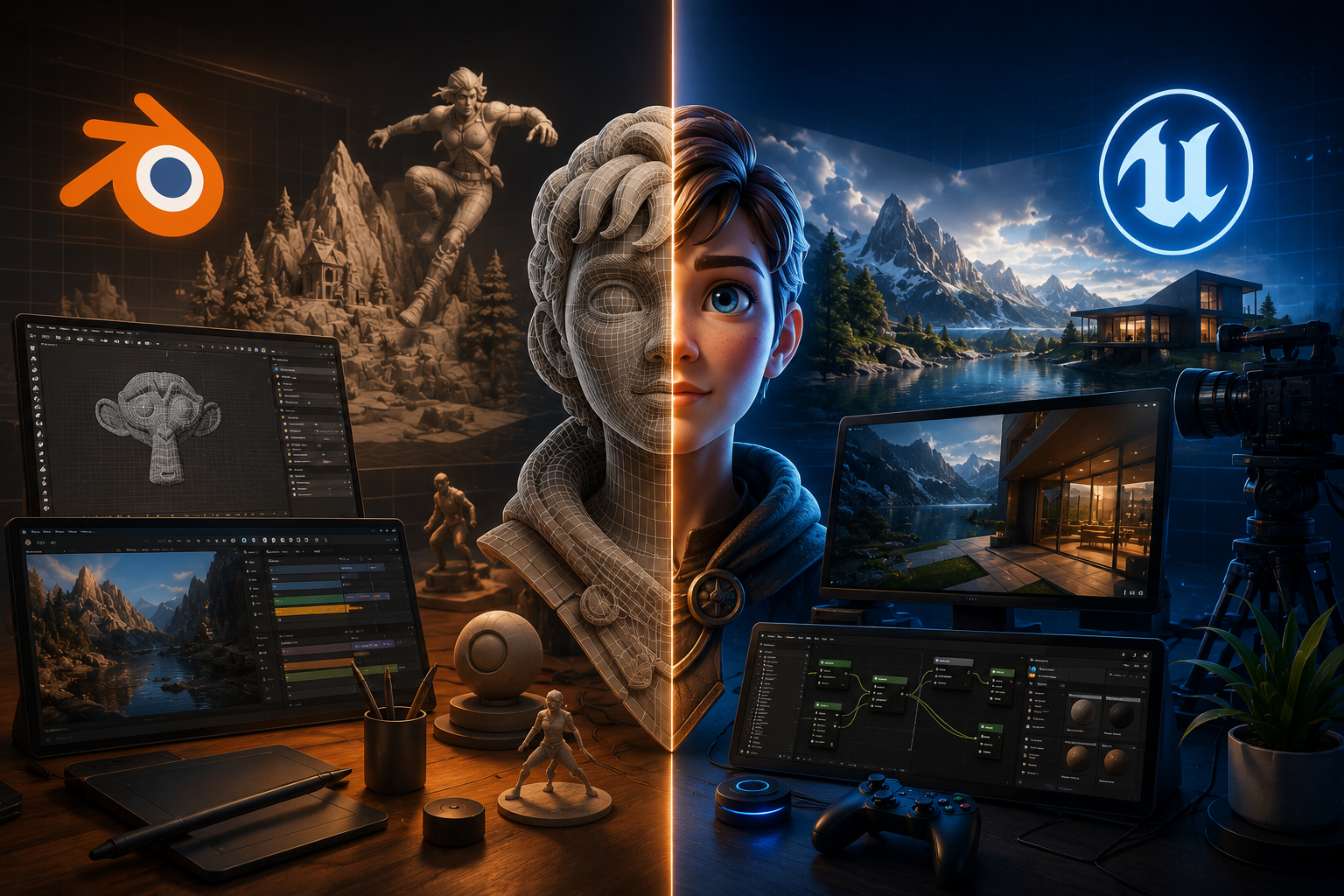
The world of 3D content creation is evolving rapidly, and two of the most powerful tools dominating the industry are Unreal Engine and Blender. Both are free to use, backed by passionate communities, and capable of producing incredible results.
But they serve different purposes.
If you’re a motion designer, virtual production artist, game developer, content creator, or 3D enthusiast, understanding the strengths and limitations of each platform can help you choose the right tool for your projects.
Let’s dive into the ultimate comparison between Unreal Engine vs Blender.
What Is Blender?
Blender is an open-source 3D creation suite used for modeling, sculpting, animation, rigging, simulation, rendering, video editing, and compositing.
It has become one of the most popular tools among independent artists and studios because of its flexibility and completely free licensing model.
Blender Excels At:
- 3D Modeling
- Sculpting
- Character Creation
- Rigging and Animation
- Product Visualization
- Motion Graphics
- VFX and Compositing
- Non-Linear Video Editing
What Is Unreal Engine?
Unreal Engine is a real-time 3D creation platform developed by Epic Games. Originally designed for game development, it has expanded into industries such as film production, architecture, automotive visualization, and virtual production.
Unreal Engine specializes in delivering stunning real-time experiences.
Unreal Engine Excels At:
- Real-Time Rendering
- Virtual Production
- Interactive Experiences
- Architectural Visualization
- Cinematic Sequencing
- Broadcast Virtual Sets
- Game Development
- Large-Scale Environments
Unreal Engine vs Blender: Feature Comparison
| Feature | Blender | Unreal Engine |
|---|---|---|
| Cost | Completely Free | Free (royalty conditions apply for games) |
| Learning Curve | Moderate | Steeper |
| 3D Modeling | Excellent | Basic |
| Sculpting | Excellent | Limited |
| Character Animation | Very Strong | Strong |
| Motion Graphics | Excellent | Moderate |
| Real-Time Rendering | Good | Industry Leading |
| Virtual Production | Growing | Outstanding |
| Game Development | Limited | Exceptional |
| VFX | Excellent | Excellent |
| Architecture Visualization | Good | Outstanding |
| Community Support | Massive | Massive |
| Plugins and Add-ons | Extensive | Extensive |
Rendering: Speed vs Flexibility
One of the biggest differences lies in rendering.
Blender Rendering
Blender offers two powerful rendering engines:
Cycles
- Physically accurate rendering
- Excellent for product visualization
- Superior lighting realism
- Ideal for final-quality stills
Eevee
- Real-time rendering engine
- Fast previews
- Great for stylized projects
Unreal Engine Rendering
Unreal Engine utilizes:
Lumen
- Dynamic global illumination
- Real-time reflections
- Instant lighting updates
Nanite
- Virtualized geometry system
- Handles billions of polygons efficiently
- Eliminates traditional optimization limitations
Winner:
- Photorealistic Real-Time Experiences: Unreal Engine
- Flexible Rendering Pipelines: Blender
Virtual Production: Unreal Engine Dominates
Virtual production has transformed filmmaking and broadcasting.
Unreal Engine powers:
- LED volume stages
- Broadcast virtual sets
- Live event productions
- Real-time camera tracking
- In-camera visual effects
Many major studios now rely on Unreal Engine for modern productions.
Blender can contribute by creating assets and environments, but Unreal remains the industry leader for real-time virtual production workflows.
Winner: Unreal Engine
Motion Graphics and Animation
Motion designers often gravitate toward Blender because of its integrated workflow.
Blender provides:
- Geometry Nodes
- Grease Pencil
- Character rigging tools
- Animation editors
- Compositing capabilities
Unreal Engine offers impressive animation tools through:
- Sequencer
- Control Rig
- MetaHuman integration
However, it lacks Blender’s dedicated motion graphics ecosystem.
Winner: Blender
Ease of Learning
Blender
Pros:
- Large educational community
- Countless free tutorials
- All-in-one package
Cons:
- Interface can feel overwhelming initially
Unreal Engine
Pros:
- Excellent official documentation
- Industry-standard workflows
Cons:
- Complex interface
- More technical setup requirements
Winner: Blender for Beginners
Performance and Hardware Requirements
Blender
Runs efficiently on mid-range hardware for many workflows.
Ideal for:
- Freelancers
- Small studios
- Independent creators
Unreal Engine
Demands stronger hardware for optimal real-time performance.
Recommended for:
- High-end workstations
- Professional studios
- Virtual production pipelines
Winner: Blender
Which Tool Should Content Creators Choose?
Choose Blender if you want to:
✓ Create animations
✓ Design motion graphics
✓ Model characters and products
✓ Learn 3D without financial barriers
✓ Produce VFX and compositing work
Choose Unreal Engine if you want to:
✓ Build virtual production studios
✓ Create immersive experiences
✓ Develop games
✓ Produce cinematic sequences
✓ Work with real-time rendering technologies
Why Many Professionals Use Both
Increasingly, artists combine both tools.
Typical workflow:
Blender
→ Modeling
→ Sculpting
→ Asset creation
→ Animation preparation
Unreal Engine
→ Real-time rendering
→ Virtual production
→ Interactive experiences
→ Final presentation
The combination provides the best of both worlds.
Final Verdict: Unreal Engine vs Blender
There is no universal winner.
Blender empowers creators with an incredibly versatile all-in-one 3D toolkit.
Unreal Engine revolutionizes real-time visualization and virtual production.
If you’re a motion designer or independent creator, Blender is often the ideal starting point.
If your focus is virtual production, cinematic rendering, or interactive experiences, Unreal Engine offers unmatched capabilities.
In reality, the future belongs to creators who understand both.
Because in 2026, mastering multiple creative technologies isn’t an advantage anymore—it’s becoming the new standard.